How to Make AI Fashion Models Look Realistic (2026 Guide)

Prateek Gupte
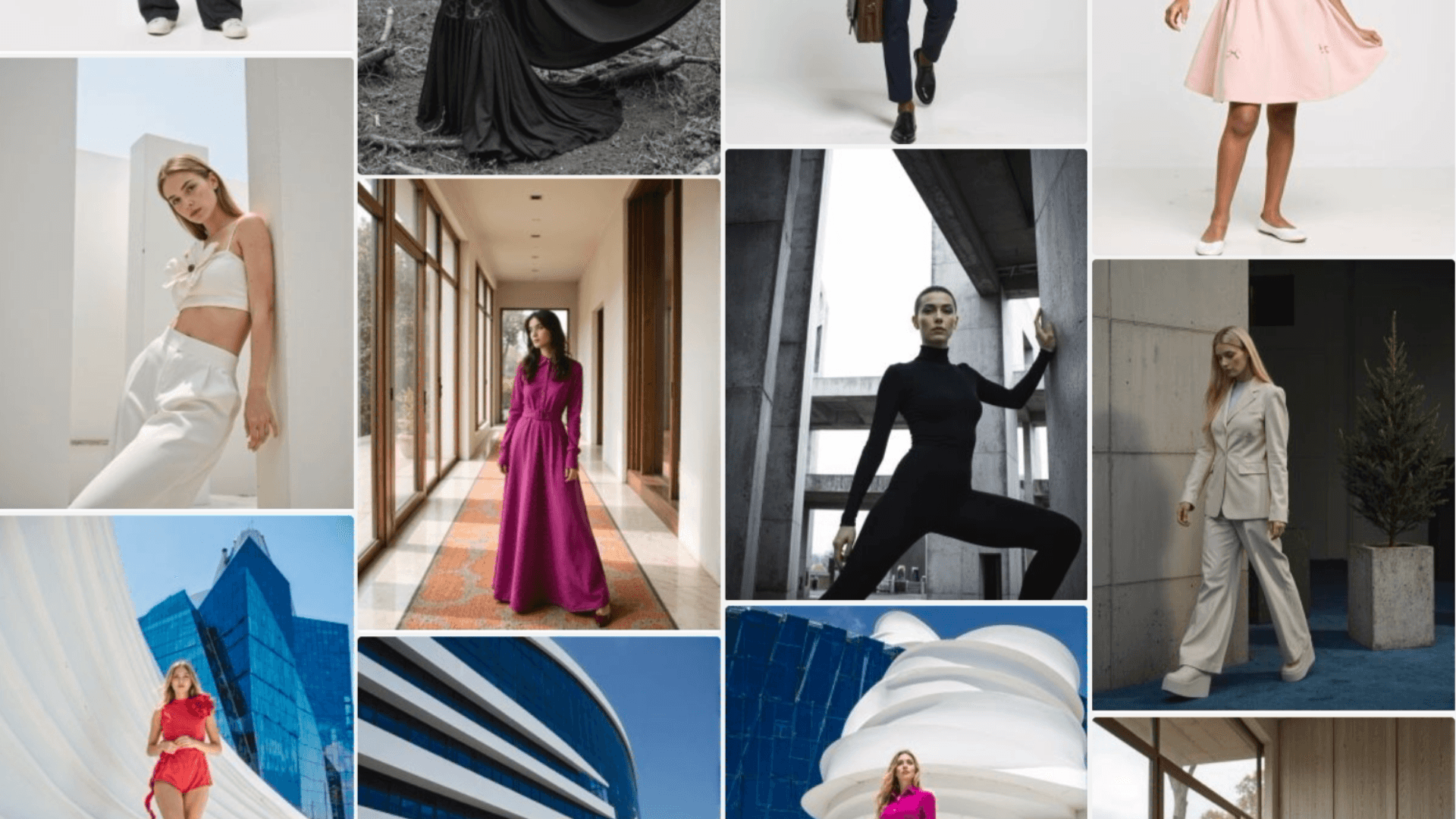
To make AI fashion models look realistic, fix the inputs and check the outputs. Start from a sharp, true-color product photo and a fashion-specific generator that keeps your garment intact. Then direct the light like a photographer, keep natural skin texture, and inspect every image at full size before it goes live. Most “AI-looking” fashion photos fail on the same few things: waxy skin, melted logos, prints that shift, and the same face on every product.
This guide covers the 9 fixes that matter most for realistic AI fashion models and a checklist to run before you publish. It also compares AI models with a traditional photoshoot. If you’re still choosing a tool, start with our comparison of the best AI fashion model generators.
Key takeaways
Realism starts with the product photo. A blurry or color-shifted input gives a fake-looking output, whatever tool you use.
Fashion-specific generators keep the garment’s cut, print and logo intact. General image generators often redraw them.
Natural skin texture, believable light and a pose that suits the garment do more for realism than higher resolution.
Brands using realistic AI models report real results: IONI Swim cut content costs by 99% while growing sales 15x, and BlissClub raised click-through rate by 50%.
What makes an AI fashion model look fake
Shoppers spot AI images from a handful of tells. Fix these and most of the “AI look” disappears:
Waxy, poreless skin that looks airbrushed or plastic.
Melted or misspelled logos and labels that turn into squiggles.
Prints and patterns that shift between shots, or stripes that don’t follow the body.
Fabric that doesn’t drape: a heavy knit hanging like silk, or creases in the wrong places.
Light that doesn’t match: a studio-lit model pasted onto a sunset background, with no shadow on the ground.
The same face on every product, so a 40-SKU catalog looks like one model cloned 40 times.
Stiff or impossible poses that no real model would hold.
9 ways to make AI fashion models look realistic
1. Start with a clean, high-resolution product photo
Shoot the garment flat, on a hanger or on a ghost mannequin, in even light, with the true color and every detail visible: seams, buttons, trims and labels. The generator can only keep what it can see. If the color is off in your input, it will be off on the model. A strap hidden under a lapel or side ties out of frame will be dropped or invented, so add a second photo that shows them. And use a soft-edged hanger, because a sharp hanger shape carries through as boxy, squared-off shoulders.
2. Use a fashion-specific generator, not a general one
General tools like Google’s Gemini and ChatGPT Image can create a convincing person. But they tend to redraw your product: a logo moves, a print changes scale, a neckline gets a new shape. Fashion-specific tools are built to keep the exact garment intact. Caimera’s AI fashion model generator dresses the model in your real product rather than an imagined version of it.
Within any tool, match the setting to the product. Fast settings are fine for brainstorming, but they’re the first to blur fine detail. For anything with a logo, embroidery or print, use the highest-detail setting and generate at 2K or above.
3. Choose a model that fits the product and the customer
Realism is also about fit with your brand. Match age, body type, skin tone and styling to the people who buy the product. Browse a library of AI fashion models, or create a private custom model from two photos so the same face carries across your catalog.
4. Direct it like a real shoot
Describe the light and camera the way a photographer would. Ask for soft window light, overcast daylight or a clean studio setup, a portrait lens rather than a wide angle, and a real location with real shadows. Caimera’s editorial templates set these for you, so you choose a look instead of writing a prompt.
Frame wide first. Generate the full-length shot and crop it for close-ups, because asking for a close-up directly can shorten the garment and move its print or embroidery to fit the frame.
5. Keep real skin texture
Skip words like “flawless” and “perfect skin”. Real people have pores, fine lines, slight unevenness and a few flyaway hairs. A little texture reads as a photograph; perfectly smooth skin reads as AI.
6. Match the pose to the garment
A flowing dress needs movement, tailoring needs a straight posture, and activewear needs an action pose. A pose that shows how the garment hangs and moves makes the fabric look real.
7. Keep one model consistent across a collection
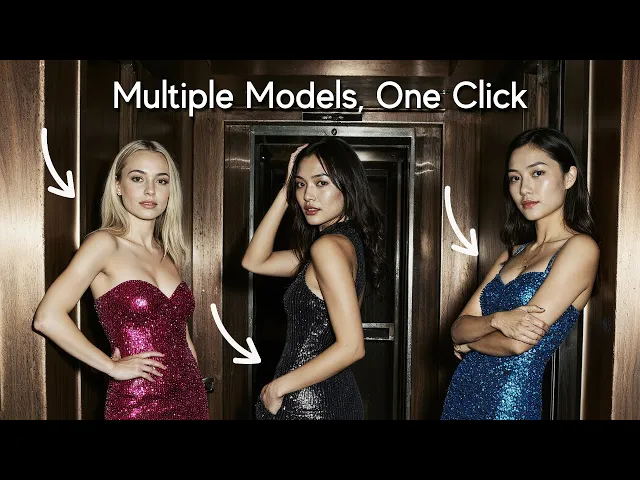
Use the same model, lighting and framing for every product in a drop. Consistency is what makes a catalog look like one professional shoot rather than a set of separate AI images. Caimera’s flat lay to catalog workflow is built around this.
Lock the whole outfit too. If you only add the top, the tool styles the jeans and shoes freely, and they change from shot to shot. Add every piece you want kept the same.

8. Fix small problems instead of regenerating
If one detail is off, such as a strap, a cuff or a stray hair, edit that area rather than starting over. A new generation can fix one thing and break three others. On Caimera’s paid plans, edits are unlimited and free.
Keep it to 2 or 3 edits per image and combine changes into one instruction, because each extra round of edits softens prints and fine detail. Say what to change and what to keep, use positive wording (“make the fabric fully opaque” rather than “remove transparency”), and attach the original product photo to every edit. For a logo, upload a sharp close-up of the real artwork and correct only that area. Attach the logo file each time: typing “use the logo from my library” won’t fetch it.
9. Upscale last, then check at full size
Upscale only after the image is approved, so you’re not enlarging a mistake. Caimera upscales to 4K, and up to 14,400 pixels on the long edge for billboards and print. Then inspect the final file at 100% zoom using the checklist below. Small or angled text is still the hardest thing for any AI tool, so budget a quick retouch for it.
Checklist: inspect every AI fashion image before you publish
Logo, label and text are sharp and spelled correctly.
Print scale, placement and color match the real garment.
Seams, buttons, zips and trims are where they should be.
Fabric drapes the way the real material does.
Hands, hair edges and jewelry look natural.
Light direction on the model matches the background, and there’s a shadow where the model meets the ground.
Skin has natural texture, not a plastic sheen.
The model and the rest of the outfit match the other images in the collection.
Realistic AI fashion models vs traditional photoshoots
For most product and catalog imagery, a well-made AI image is now hard to tell from a studio photo. Here’s how the two compare in 2026:
Factor | Traditional photoshoot | Realistic AI fashion models |
|---|---|---|
Garment accuracy | Exact, it’s the real product | Exact with a fashion-specific tool; check details before publishing |
Faces and skin | Real | Photographic when skin texture and light are directed well |
Consistency across SKUs | Depends on booking the same model and crew | Same model, light and framing on every product |
Speed | Weeks from booking to final edits | Minutes to hours |
Cost | Model, photographer, studio, styling and retouching | A subscription; IONI Swim cut content costs by 99% and Floafers by 95% |
Diversity | Limited by casting and budget | Any age, body type or skin tone |
Where it falls short | Cost, lead time and a reshoot for every new SKU | Celebrity talent, fabric in fast motion, tiny text, and hero moments that need a real shoot |
Shoppers respond to the results. Floafers lifted conversions by 60% with AI product photography, BlissClub raised click-through rate by 50%, and Adore Me found its AI ads had a lower cost per acquisition than its real-shoot ads. For more on how customers react, read do consumers care if brands use AI images.
What is the most realistic AI fashion model generator?
For photos of your real products, fashion-specific tools such as Caimera, Botika and FASHN AI produce more realistic results than general image generators, because they keep the garment intact. Caimera adds editorial scenes, video, custom models and brand-trained models on Enterprise, which is why brands like H&M, Puma, Steve Madden and Bestseller use it. Our comparison of the 8 best AI fashion model generators covers prices, free plans and video for each tool.
Realistic AI fashion models with diverse faces
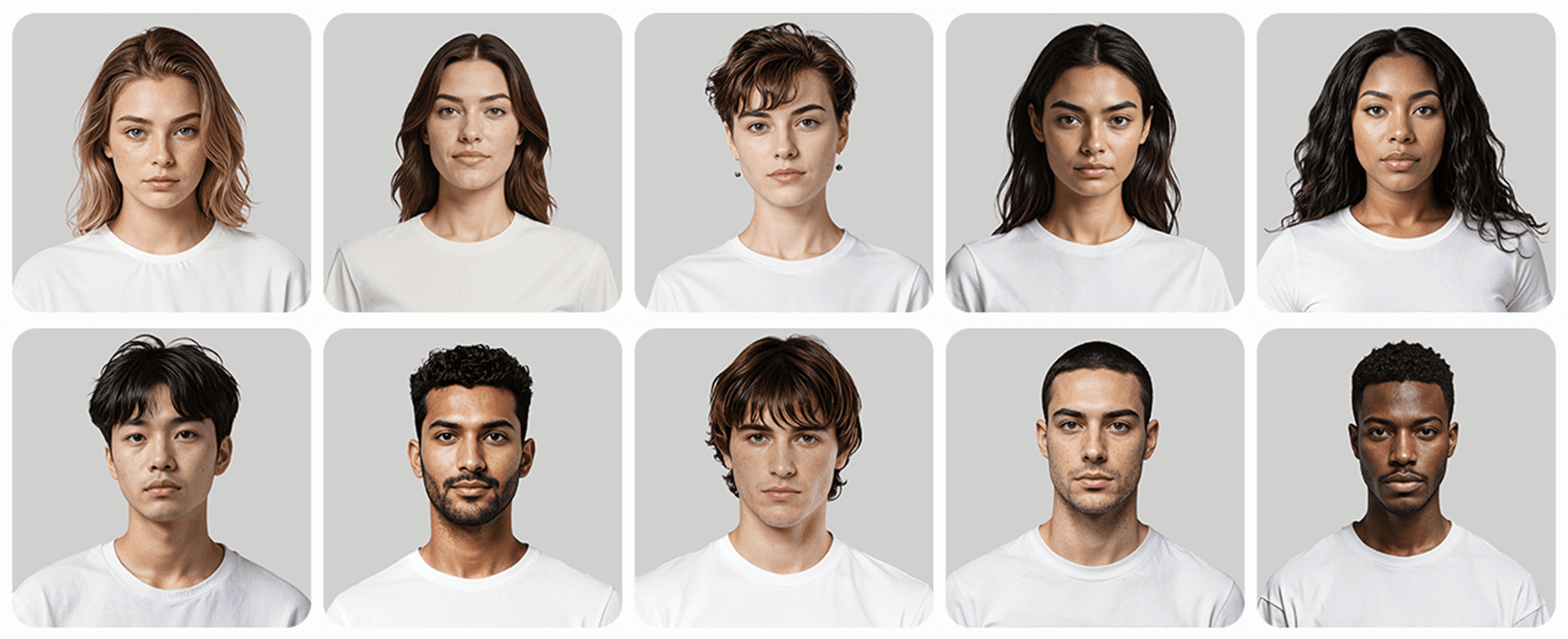
Diversity and realism go together: a catalog where every model shares one face looks fake even if each image is perfect. Vary age, skin tone, body type and features on purpose, and keep each model consistent across the products they wear. Our guides on prompting distinctive, accurate faces and diversity in fashion with AI go deeper.
Realistic doesn’t mean undisclosed
The more real an AI image looks, the more disclosure matters. Under the EU AI Act, brands that publish photorealistic AI images have had to disclose them since August 2, 2026. The rule can apply even when the model isn’t a real person. Caimera downloads can carry the EU’s official AI labels, a text watermark and AI metadata. See our guide to AI fashion imagery law for what applies to your brand.
FAQ
Can AI fashion models look as real as a photoshoot?
Yes, for most product, catalog and social imagery. Start from a good product photo, use a fashion-specific tool, keep natural skin texture and check details at full size. Real shoots still win for celebrity talent and fast-moving fabric.
Why do my AI fashion models look fake?
Usually it’s one of a few causes: over-smoothed skin, light that doesn’t match the background, a garment the tool redrew, or the same face on every product. Work through the 9 fixes above in order.
Why does AI change my logo or embroidery?
Small logos, text and embroidery are the finest detail in the image, so fast settings and repeated edits blur or redraw them first. Generate at the highest-detail setting and 2K or above, keep edits to 2 or 3, fix the logo area from a close-up of the real artwork, and plan a quick retouch for tiny or angled text.
How do I keep an AI model’s face consistent in video?
Start from a sharp, high-resolution frame with the model close to the camera; a distant or low-resolution start image is the main cause of a face drifting as the model moves. Describe the movement first, then the details. If a detail only shows from the side, such as side ties, add an end frame where it’s visible.
What resolution do realistic AI fashion photos need?
For product pages, 2K is usually enough; use 4K for campaigns and print. Upscale only after the image is approved.
Can I use my own model or a real person’s likeness?
Yes. On Caimera you can create a private custom model from two photos. Enterprise adds digital twins of real talent and models trained on your brand. Always get written consent before using a real person’s likeness.
Do I have to label realistic AI fashion images?
In the EU, yes: since August 2, 2026, brands must disclose photorealistic AI images, and that can include AI models who aren’t real people. A metadata tag alone isn’t enough. In New York, ads that use a synthetic performer have needed a disclosure since June 9, 2026, and other regions are adding similar rules, so label them even where it isn’t required yet. Our AI image disclosure laws guide covers each region.
Keep exploring: make realistic AI fashion models of your own with Caimera’s AI fashion model generator, browse the AI model library, or compare the best AI fashion model generators.