Free Tech Pack Template for Fashion & Apparel Brands

Kirti Poonia

Every fashion product ships with dozens of details behind it. Measurements, materials, construction notes, trims, colorways, grading. All of it has to be written down before a factory can quote, sample or cut.
That document is the tech pack.
A good tech pack gives designers, product developers and manufacturers one shared reference for how a product should be made. Building one from a blank sheet every time is where the hours go.
So we made a free tech pack template you can download, customize and use for your next product. The same template also lives inside Caimera, where the AI fills it in from a single product image.
Download the Free Tech Pack Template (Excel) →
What Is a Fashion Tech Pack?
A fashion tech pack (short for technical package) is the document that carries every technical specification needed to develop and manufacture a product. Factories treat it as the contract for what "correct" looks like. Most professional manufacturers will not quote without one.
Depending on the product and your team's workflow, a tech pack includes:
Product measurements and points of measure
Grading rules and size ranges
Bill of Materials (BOM)
Fabric and trim details
Construction, stitching and seam information
Colorways
Technical sketches (front, back, detail views)
Labels, branding and packaging requirements
Supplier or manufacturing notes
If you want the full breakdown of each component and how factories read them, start with our Ultimate Guide to Tech Packs in Fashion. This page is about the template itself.
Why Use a Tech Pack Template?
Starting from a blank document means rebuilding the structure every time, and every product developer builds it slightly differently. A tech pack template gives your team one repeatable format, so the only thing that changes between styles is the content.
A good template does five things:
Saves time. The structure is decided once. A new style is a fill-in job, not a layout job.
Keeps teams consistent. The same format across collections, categories and people, so a factory in Portugal and one in Tiruppur read the same document the same way.
Catches missed details. Empty fields are visible. A missing seam allowance in a free-form document is not.
Cuts revision rounds. Industry estimates put a style with incomplete specs at 3 to 5 sample rounds, against 1 to 2 with complete ones, with each extra round typically costing $1,500 to $5,000 in sampling, freight and lost weeks. Roughly 40% of first-sample rejections are traced back to measurement spec failures. A structured tech pack format removes the ambiguity before the first sample is cut.
Scales. Once the format is standard, it can be handed to a new hire, a freelancer or an AI without explaining it.
What Should a Tech Pack Template Include?
There is no single universal tech pack format. Your template should reflect your product category, manufacturing process and how your team already works. That said, almost every fashion tech pack template shares seven core sections, and ours is built around them.
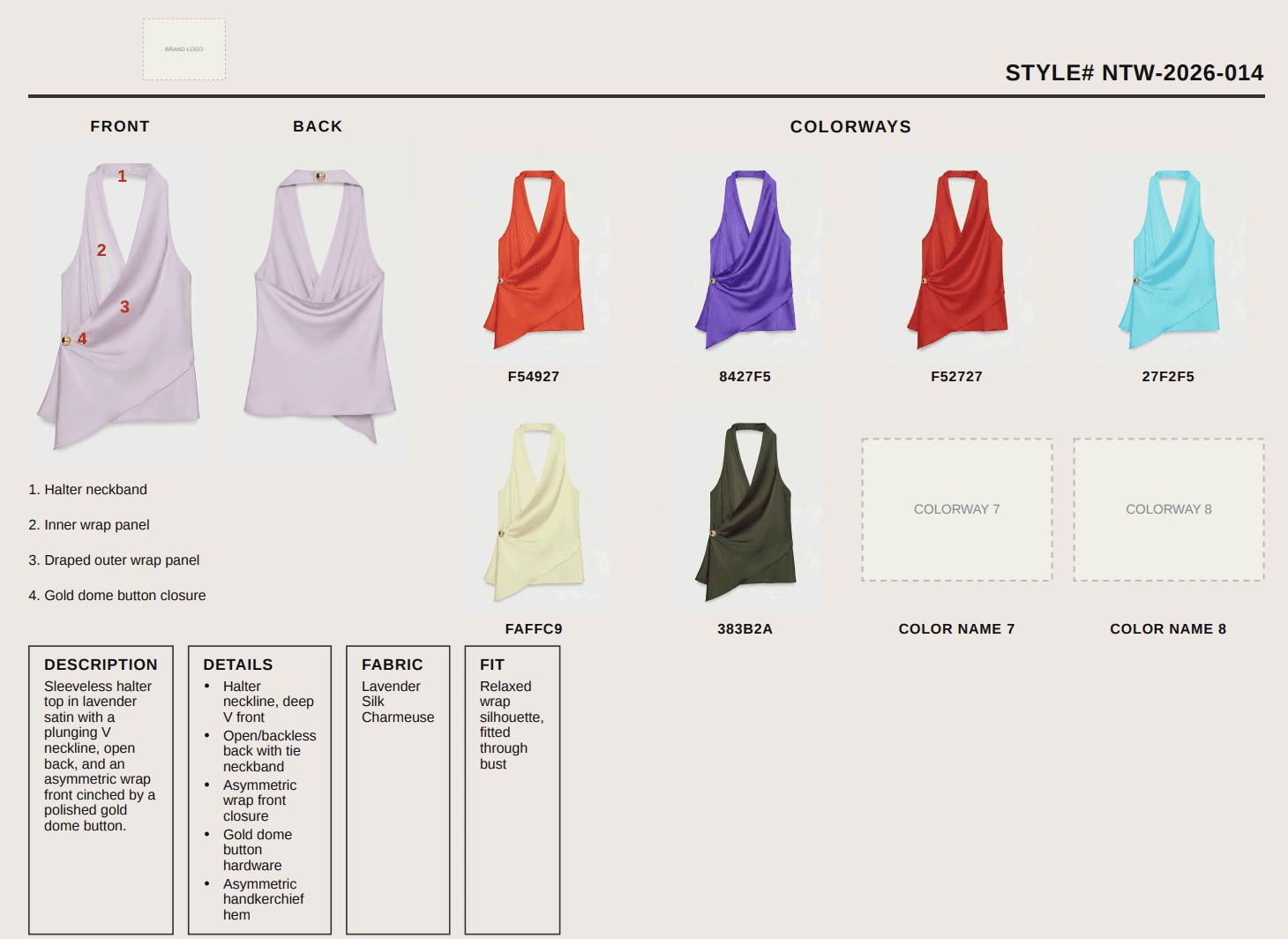
1. Product Details
The header every factory checks first:
Style name or number
Product category and season
Collection
Product description
Colorway
Development status and revision date
2. Technical Sketches
Clear front and back technical drawings, plus whatever the construction needs:
Side views
Detail views and zoomed construction areas
Stitching details
Placement of prints, labels and hardware
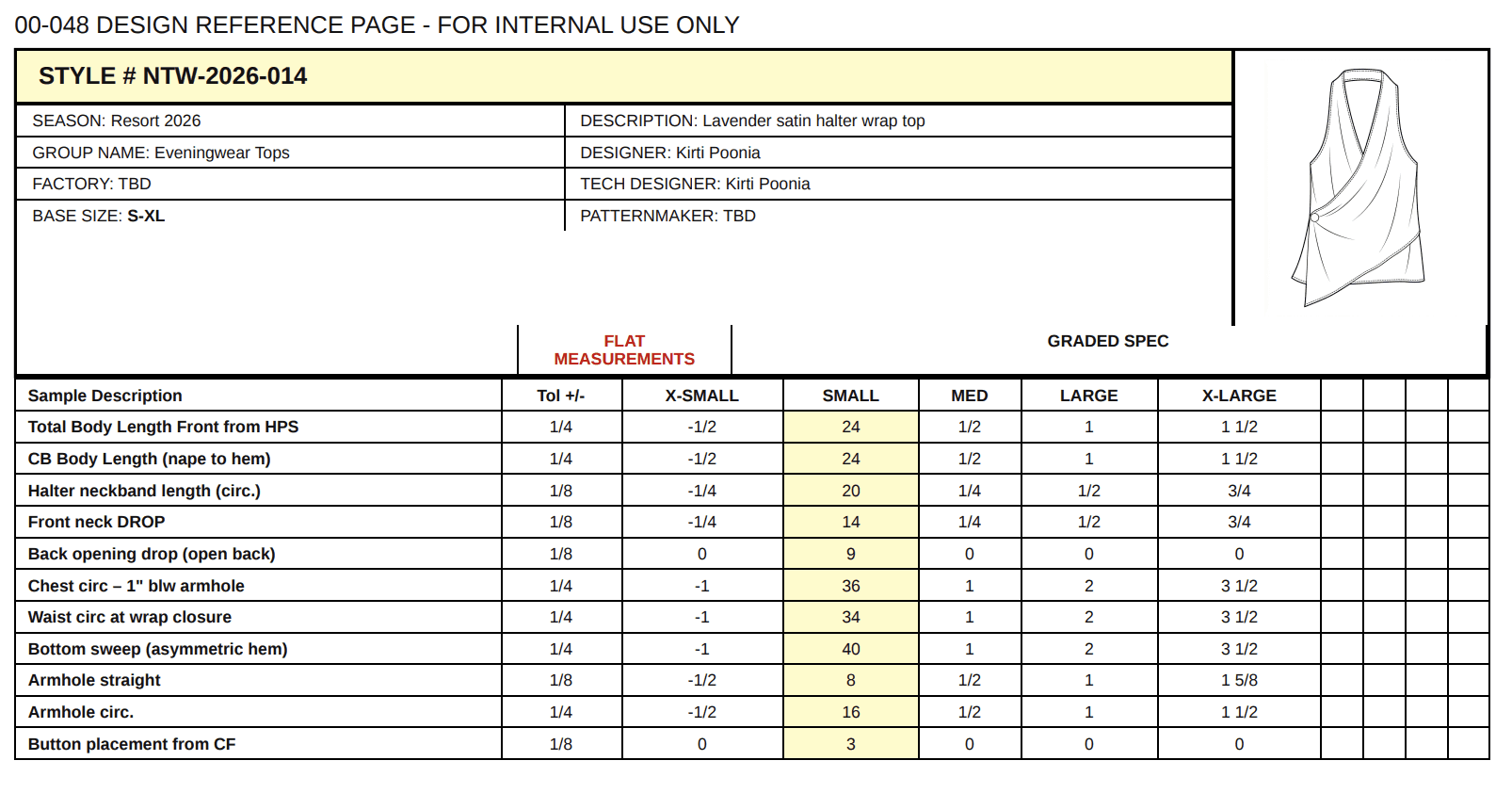
3. Measurement Specifications
The section factories spend the most time in, and the one where errors cost the most.
Points of measurement (POM)
Base size measurements
Tolerances
Grading rules
Full size range
Keep the measurement structure identical to your team's existing standard. The template gives you the layout; your POM list and tolerances are yours.
4. Bill of Materials
Everything needed to make one unit:
Main fabric and lining
Trims, buttons, zippers and hardware
Labels and thread
Packaging components
Each line should carry supplier, article number, composition, placement and consumption where you have it.
5. Construction Details
How the product goes together:
Seam and stitch types
Seam allowances
Hem details
Pockets and closures
Finishing and special instructions
6. Artwork and Placement
Prints, embroidery and logos are where most "the sample looks wrong" emails start, because the artwork lived in a separate file the factory never opened. Give it its own section:
Artwork file name and version
Colour reference (Pantone TCX for fabric, TPG for prints)
Finished dimensions of the artwork
Placement measured from a fixed reference point, for example "centre chest, 8 cm below HPS"
Application method: screen print, DTG, embroidery, heat transfer or appliqué
Stitch count for embroidered logos
How the artwork behaves across the size range (fixed size, or scaled with grading)
7. Colorways and Materials
If a style runs in more than one colorway, the tech pack has to say exactly which material and color goes where in each version. A colorway table beats a paragraph every time.
Download the Free Tech Pack Template

The template covers all seven sections above, laid out the way product teams actually work through them. Download it, then adapt it to your:
Product category
Measurement system (metric or imperial)
Grading structure
Materials library
Manufacturing requirements
Team workflow
Your tech pack template should fit your product development process, not force a new one on your team.
Download the Free Tech Pack Template (Excel) →
Tech Pack Templates for Different Product Categories
A tech pack for a T-shirt does not look like one for a sneaker or a handbag. Use the same skeleton, but expect these sections to change.
Apparel Tech Pack Template
Garment measurements, grading, construction details, fabric, trims, BOM and technical sketches. This is the version most teams mean when they search for a clothing tech pack template, and it covers T-shirts, hoodies, sweatpants, knits and outerwear with different POM lists.
Footwear Tech Pack Template
Outsole specifications, upper materials, component list, last and dimensions, construction method and colorways.
Accessories Tech Pack Template
Dimensions, materials, hardware, construction details, component specifications and packaging. Bags, caps and belts all fit here.
The best template is the one you can adapt in ten minutes to a category you have never made before.
Can You Use Your Own Tech Pack Template?
Yes, and you probably should. Most fashion teams already have a tech pack format refined over years of product development. The format is not the problem. Filling it in is.
That is the approach we took with Caimera: the software works around your template rather than replacing it.
From Tech Pack Template to AI Tech Pack
A template gives you the structure. You still have to fill it in. Measurements, materials, construction details, product information, revisions, for every style, every season.
That is the part AI tech pack software changes.
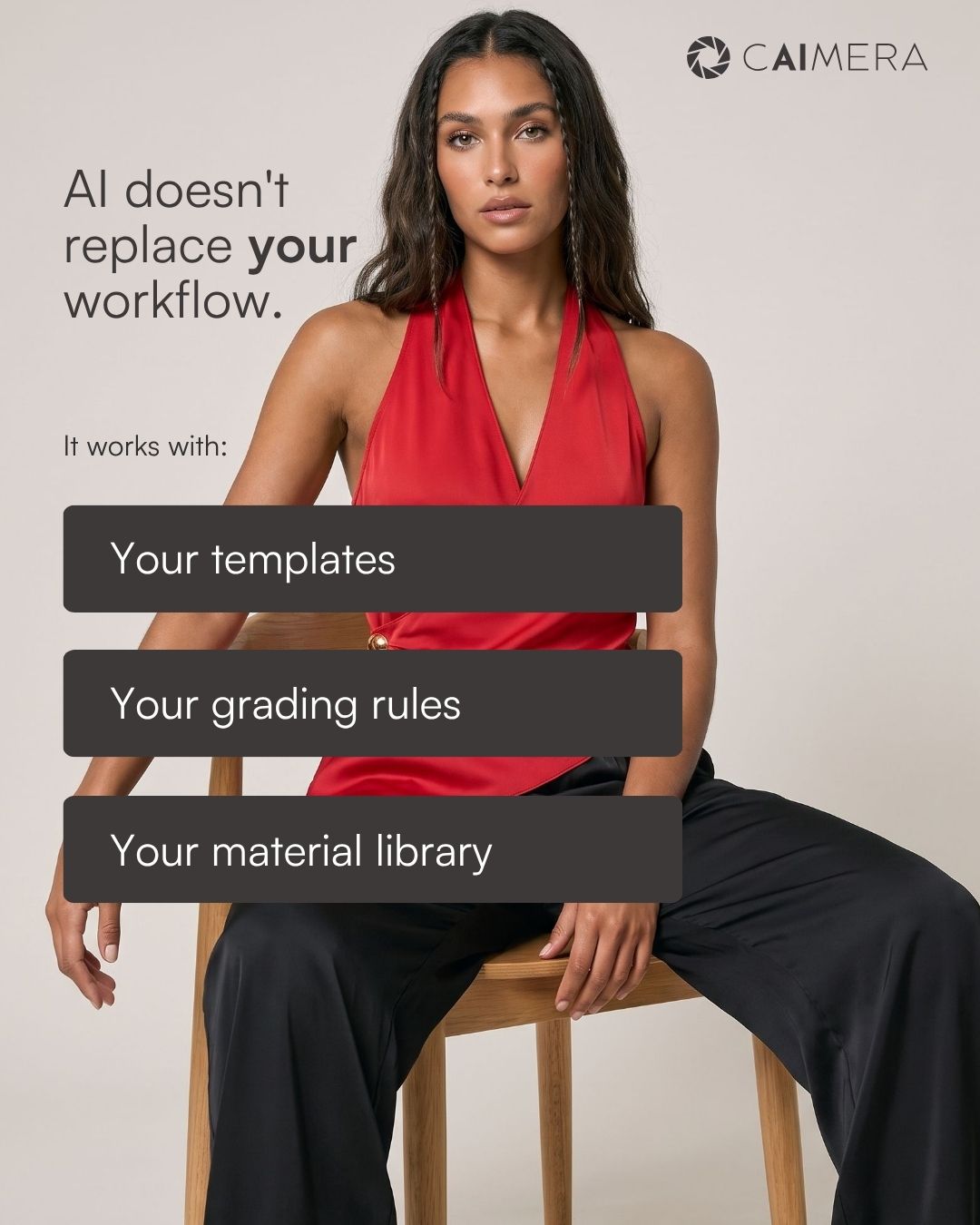
With Caimera's AI Tech Pack Generator, you start from a single product image and get an editable tech pack built on your team's existing templates, grading rules and materials library. Upload your own tech pack template (including the one on this page), configure your measurement and grading structure, connect your materials library or PLM (Centric PLM and PTC FlexPLM are the ones teams ask us about most), and the AI handles the repetitive entry. Your technical team reviews, edits and stays in control.
How Caimera's AI Tech Pack Generator Works
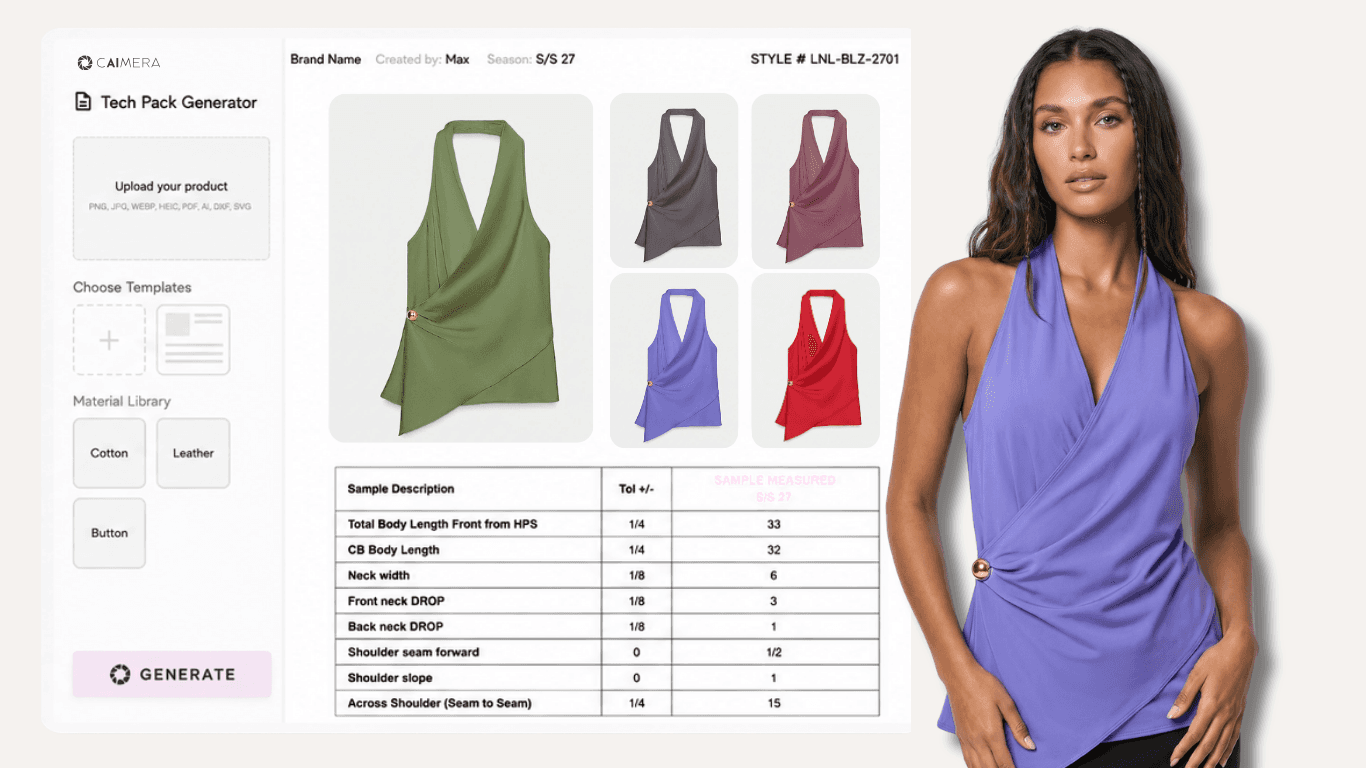
Start with a product image. Upload one image. No blank spec sheet needed.
The AI reads the product. Caimera identifies the product details, measurements and construction information it can see.
Apply your workflow. Your tech pack template, measurement structure, grading rules and materials library are applied to the output, whether that library lives in a spreadsheet or in a PLM like Centric or FlexPLM.
Generate the tech pack. Caimera produces an editable tech pack in your format.
Review and edit. Every field stays editable, so the technical team signs off before the product moves forward.
Why Combine a Tech Pack Template With AI?
A template solves the structure problem. AI solves the manual data-entry problem. Together they shorten the path from product to production.
Instead of:
Product → Blank Template → Manual Entry → Measurements → BOM → Revisions
You get:
Product Image → AI → Your Template → Review & Edit → Tech Pack
The goal is not to take the technical team out of the process. It is to take the repetitive work out of it.
Frequently Asked Questions
What is a tech pack template?
A tech pack template is a reusable document structure for organizing the technical specifications a factory needs to develop and manufacture a fashion product: product details, sketches, measurements, grading, BOM, construction and colorways.
Is this tech pack template really free?
Yes. Download it and use it for as many styles as you like, with or without Caimera.
What format is the tech pack template in?
The template is an editable Excel workbook (.xlsx) that also opens in Google Sheets and Numbers. Prefer a print layout? Download the PDF version. The same structure is available inside Caimera's AI Tech Pack Generator, where the AI fills the fields for you.
Can I create my own fashion tech pack template?
Yes. Customize the sections around your product category, measurement system, grading rules, materials and manufacturing requirements. Caimera also accepts your existing template as-is.
What should a fashion tech pack include?
Most tech packs include product details, technical sketches, measurement specifications with tolerances, grading, a bill of materials, construction details, artwork placement and colorway information.
Is there a standard tech pack format?
No. Tech pack formats vary by product category, brand and manufacturing workflow, which is why a template you can adapt matters more than a rigid standard.
Can AI create a tech pack from an image?
Yes. Caimera's AI Tech Pack Generator uses a single product image as the starting point and generates an editable tech pack based on your configured templates, grading and materials.
Can I use my existing tech pack template with Caimera?
Yes. Caimera is built to work with your existing templates and workflow rather than asking your team to start over.
Get the Free Tech Pack Template
A better tech pack starts with a better process. Download the free tech pack template and give your next product a structure the factory can work from.

Download the Free Tech Pack Template (Excel) →
When you are ready to take the manual work out of tech pack creation, see Caimera's AI Tech Pack Generator →