8 Best AI Tech Pack Generators and Tools (2026), Compared

Prateek Gupte
The best AI tech pack generators in 2026 are Caimera (best for teams that want packs built on their own templates, POM sheets and grading, several styles at once), Clothink and Adstronaut (best for small brands starting from one photo or sketch), AI Tech Packs (best for Illustrator-heavy teams) and The F* Word (trend-to-tech-pack). Techpacker and Kōbō suit teams that want PLM-style tech pack software.
We judged each tool on what a technical designer checks first: does it use your templates and measurements or invent them, does it draw flats, back views and colorways, does it write the BOM and construction details, can it build a whole drop at once, and does the export open cleanly at the factory? Prices were checked on each vendor's site on November 4, 2026.
Key takeaways
AI can create a tech pack draft. Every tool here, Caimera included, expects a technical designer to review it before it reaches a factory.
The biggest difference is where the numbers come from. Caimera fills measurements from your own POM sheets and grading charts; most photo-first tools generate a size chart for you to correct.
For a whole season, look for bulk builds: Caimera runs several packs in parallel.
Budget options exist: Clothink's free plan holds three packs (£15 per pack to export), Adstronaut starts at $29 a month for five packs, and The F* Word gives 75 free credits (a pack costs 65).
Best AI tech pack generators compared (2026)
Tool | Best for | Starting price (as of Nov 2026) | Key capability | Free plan / trial |
Caimera | Teams with their own templates, POM sheets and grading; whole seasons at once | $99 per user a month (Pro, billed annually); Enterprise from $1,500 a month | Fills your own PDF/Excel templates with your real measurements; several packs in parallel; generates flats, back/side views and colorways; exports PDF and .ai | Free plan, 20 credits, no card |
Techpacker | Manual tech pack software with factory collaboration | $35 per user a month, billed yearly | Modular tech pack builder, manufacturer portal, PDF export | 7-day free trial, no card |
Clothink | Solo designers going from an idea to a supplier-ready pack | £19 a month (Creator) | One-click Auto-Complete drafts BOM, size chart and How to Measure; PDF and Excel | Free plan, up to 3 packs; £15 per pack to export |
AI Tech Packs (aitechpacks.com) | Illustrator-based teams and editable SVG flats | $150 per seat a month ($1,440 a year billed annually) | Flats, measurements, BOM, Illustrator Connect, factory sharing links, Pantone matching | Credit packs that never expire |
The F* Word | Trend research through to a tech pack draft | $10 one-time top-up; Pro $299 a month | Trend-to-tech-pack workflow with BOM, POM and grading in 8 to 10 minutes | 75 free credits, no card (personal use) |
Adstronaut | Photo-to-pack for small brands, incl. footwear and bags | $29 a month for 5 packs | Graded size chart with a tolerance per point of measure, 12 sizing systems | First pack free as a watermarked preview |
Genpire | Founders who want design, tech pack and sourcing in one place | $20 a month, billed yearly ($240) | Flats, construction and component details, sample and bulk orders | Free to start |
Kōbō | Growing brands that need a fashion PLM with tech packs | $140 per user a month (Studio Lite) | Style, materials and POM libraries, Illustrator plugin, free supplier portal | 14-day free trial, no card |
Can AI create a tech pack?
Yes. An AI tech pack generator can turn a product photo, sketch or flat into a structured draft: flats, BOM, construction callouts, size chart and colorways. What it can't do alone is know your fit. Grade rules, tolerances and the trim supplier you always use live in your team's files, not in the photo.
So the useful split is between tools that use your data and tools that invent a starting point. A generated size chart is fine for a new brand's first sample. For a team with an established fit block, every invented number is one more thing to correct.
What a factory-ready tech pack must contain
Judge any tool's output against this list (our free tech pack template uses the same structure):
Header: style number, season, category, size range, base size, version and date.
Technical flats: front and back black-line drawings, plus detail views where needed.
Bill of materials (BOM): fabrics, trims, closures, labels and packaging, with supplier, code, color and quantity per unit.
Points of measure (POM): each measurement with a "how to measure" description.
Grading and tolerances: the value for every size and the allowed plus/minus.
Construction details: seam types, stitch types and SPI, finishes, and callouts on the flat.
Colorways: each color with Pantone or lab-dip references and which components change.
Artwork and labels: print placement and size, care label and main label positions.
Revision notes: what changed since the last sample and what still needs sign-off.

More on each section in our ultimate guide to tech packs.
The 8 best AI tech pack generators, reviewed
1. Caimera: best for teams that want packs built on their own data
Caimera's tech pack generator is an AI assistant that builds factory-ready tech packs (header, materials, components, construction, measurements and image slots) from a product photo, flat or sketch, working from your files. Build templates from your own PDF or Excel (.xlsx) tech packs, upload POM sheets and grading charts, and it fills measurements with your real production values. Anything estimated is marked "est." or "TBC", and open questions come in one round at the end.
Auto-generate missing images draws black-line flats, back and side views, and colorways from the product photo without asking you to approve each one. Since November 2, 2026 the assistant also creates on-model catalog images from product photos and extracts print artwork (an all-over swatch or an isolated placement graphic) from garment images. Treat the on-model images as visualizations, not fit evidence, and confirm any extracted print before it goes to production.

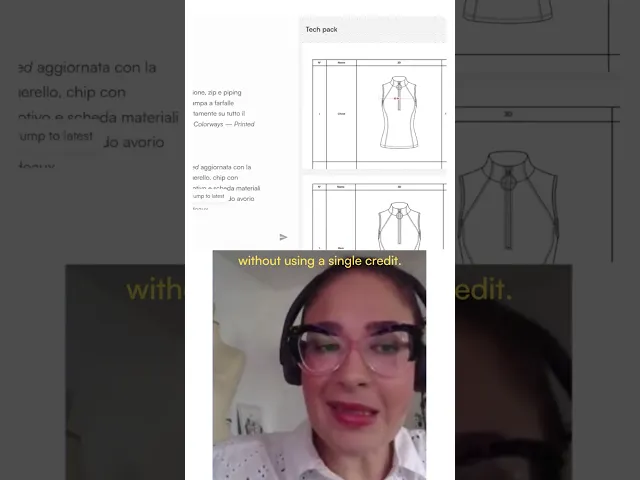
For a season, the useful part is bulk: several tech packs build at once, one tab per product, in the background. Packs are stored, searchable and ready to duplicate. Watch designer Pamela Tacconi build one live:
Watch the demo: Building a full tech pack live with Caimera (YouTube)
Best for: design and product development teams with their own templates and measurement standards, building whole drops.
Pricing: Pro is $99 per user a month billed annually, and the same seat covers Caimera's imagery tools (about $0.99 per catalog image). The pricing page lists a tech pack export at 50 credits. Enterprise starts at $1,500 a month. A free plan with 20 credits needs no card. See Caimera pricing.
Strengths: your templates and your numbers instead of a generic size chart; parallel builds; flats, views and colorways generated for you; the same workspace runs Sketch to Image, prints and catalog imagery, which brands like H&M and Puma already use.
Export: PDF for the factory, and Adobe Illustrator (.ai) so your technical designer can keep editing flats and callouts in the program they already use.
Limitations: no Excel export, so teams whose factories work from spreadsheets need another step.
Pick something else if: you need a full PLM with costing and purchase orders (look at Kōbō), or you make one style a quarter and a free plan like Clothink's is enough.
Picture Ana, product developer at a womenswear label. She uploads the Excel template and grading chart her factory in Tiruppur already uses, opens 12 tabs, one per style, and goes to lunch. Nine packs come back with every measurement from her chart; three have "TBC" on a cuff opening or pocket depth, asked in one round at the end. Ten minutes of answers replace retyping 12 size tables.

Want to see it on your own template? Try the Caimera tech pack generator with one of your existing packs.
2. Techpacker: best manual tech pack software with factory collaboration
Techpacker is the incumbent in tech pack software and the tool ChatGPT named when we asked for the best AI tech pack generator. It's a structured builder, not a generator: you assemble packs from modular cards, track versions and share them with manufacturers. Its pricing page doesn't advertise AI generation.
Best for: teams that build packs by hand and share them with factories.
Pricing: Techpack Builder is $35 per user a month billed yearly. PLM Professional ($95 per user a month, yearly) adds templates, automated grading rules, BOM libraries and Excel export. 7-day free trial, no card.
Strengths: factory collaboration and version tracking on every plan; one-click PDF export; a mature product.
Limitations: you still draw flats and type measurements yourself. Grading rules and Excel export sit on the higher tiers.
3. Clothink: best for solo designers going from idea to pack
Clothink takes a garment from a sentence or photo to a sketch, on-model mockups and a tech pack in one workspace. One click on Auto-Complete reads the approved design and drafts the tech pack: materials, a size chart graded XS to 3XL with tolerances, How to Measure, construction notes and numbered callouts.
Best for: independent designers and new brands without a technical designer.
Pricing: Creator is £19 a month (£182.40 a year); team plans run from Duo at £49 to Maison at £229. The free plan holds up to three active tech packs, and exporting one costs £15.
Strengths: exports in both PDF and Excel; your logo on every page; every save is a version you can restore.
Limitations: we couldn't find a way on its site to load your own POM sheets or grading charts, so the size chart is generated, not yours. Built for one style at a time.
4. AI Tech Packs (aitechpacks.com): best for Illustrator-based teams
AI Tech Packs ranked first on Google for "AI tech pack generator" in our September 2026 check. It generates front and back flats from a garment reference, then an editable pack with measurements, BOM, construction notes and production details. Flats export as editable SVGs, and the Illustrator Connect plugin lets designers keep refining in Illustrator.
Best for: teams whose designers live in Illustrator and want clean vector flats.
Pricing: the Tech Pack membership is $150 per seat a month, or $1,440 per seat a year billed annually. Flat Sketch alone is $75; there's a $35 student plan and one-time credits that never expire. Free trial available.
Strengths: PDF and Excel export; factory sharing links; licensed Pantone matching; PLM integration on Enterprise; a done-for-you agency service.
Limitations: the highest entry price among the standalone generators; online purchases are capped at five seats.
5. The F* Word: best for trend-to-tech-pack workflows
The F* Word runs a connected workflow from live trend analysis to concepts, 3D, a tech pack and campaign visuals. Its tech pack step drafts BOM, points of measure, grading rules and construction callouts in 8 to 10 minutes, and it says it validates tolerances before export.
Best for: creative and product teams that want trend research and the spec in one record.
Pricing: 75 free credits with no card (personal use only); a tech pack costs 65 credits. Starter is a one-time $10 top-up of 100 credits; Pro is $299 a month for 3,600 credits; Enterprise pilots start at $6,999 a month.
Strengths: BOM, POM and grading built for technical designers; Enterprise onboards your historical tech packs.
Limitations: bringing your own PLM data is Enterprise-only, and pilots start high.
6. Adstronaut: best photo-to-pack for small brands
Adstronaut turns one or two garment photos into an editable pack in three to five minutes: annotated flats, a graded size chart, materials and BOM, sewing details, colorways with Pantone TCX codes and a construction guide. Each point of measure keeps its own grade rule and tolerance, across 12 sizing systems including footwear.
Best for: founders and small teams who want a complete first version fast, including footwear and bags.
Pricing: from $29 a month for 5 packs, $69 for 15 and $149 for 40. The first pack is a free watermarked preview.
Strengths: product-specific POMs for shoes, bags and knitwear; editable SVG flats on paid plans.
Limitations: PDF on the entry plan; the editable Excel file needs Pro. Measurements start from the generator, not your fit block.
7. Genpire: best for design, spec and sourcing in one place
Genpire is an AI product-creation platform: generate a product from a prompt, reference or blank, break out construction and component details, and build an "agentic" tech pack you can share with a supplier. It also handles sample and bulk orders, with your supplier or theirs.
Best for: founders launching first products, in apparel or beyond.
Pricing: Starter is $20 a month billed yearly ($240) with 2,000 credits; a fully specified product with its tech pack runs about 50 credits. Pro is $40 a month billed yearly. Free to start.
Strengths: design, spec and manufacturing orders in one place; free view-only supplier seats on the Scale plan.
Limitations: we couldn't confirm template upload, POM-sheet import or Excel export on its site.
8. Kōbō: best PLM with built-in tech packs
Kōbō is a fashion PLM that generates tech packs from each style's artwork, materials and measurements, and keeps suppliers on the latest version. Its Illustrator plugin generates a pack from tagged artwork.
Best for: growing brands moving packs, samples and suppliers into one system.
Pricing: Studio Lite is $140 per user a month (100 AI credits); Studio Pro is $210 with reusable specs and advanced size charts. 14-day free trial, no card. Supplier access is free.
Strengths: sample reviews against POM tolerances, costing and production modules, free supplier portal.
Limitations: a PLM rollout (one to two weeks) and a higher per-seat price than a standalone generator.
We left off Backbone PLM: it's now part of Bamboo Rose, which points new buyers to its TotalPLM product.
Why ChatGPT and other chatbots guess your measurements
ChatGPT, Google's Gemini and other chatbots can outline a tech pack or draft construction notes. Ask for a size chart and you get clean-looking averages, not your fit block. A chatbot doesn't know your base size, grade increments or the shoulder slope your best-selling jacket has used for five seasons, and it won't flag which numbers it made up.
Say Marco, who runs a small menswear label, asks a chatbot for an overshirt spec. It grades the chest 4 cm per size; his block grades 5 cm. The proto comes back tight from L up, and the extra sample round costs three weeks. Use chatbots for wording, not numbers.
How to choose an AI tech pack generator
Ask four questions:
Where do the measurements come from? With POM sheets and grading charts, pick a tool that fills packs from them (Caimera, or The F* Word on Enterprise). Without them, a generator that drafts a graded chart (Clothink, Adstronaut) is a fair start.
Can it use your template? A tool that fills your existing PDF or Excel layout saves a round of "where is the BOM?" emails.
How many styles at a time? One style a month works anywhere. A 30-style drop needs parallel builds.
What does the factory need? For Excel, check the plan (Clothink, AI Tech Packs, Adstronaut Pro, Techpacker Professional). For a supplier portal, look at Techpacker, Genpire Scale or Kōbō.
Quick scenarios:
Established label, own templates, full season: Caimera.
First collection, no technical designer, tight budget: Clothink's free plan or Adstronaut.
Designers who refine everything in Illustrator: AI Tech Packs.
Trend research and spec in one place: The F* Word.
Ready for PLM, sample tracking and supplier portals: Kōbō or Techpacker.
Footwear and bags: Adstronaut.
For the step before the pack, see turning a sketch into a realistic product image. For the wider toolset, see the top fashion design tools every designer should know, and for imagery after production, the best AI tools for fashion catalog images.
Building packs for a whole season? Start free on Caimera, load one existing tech pack as your template, and run your next drop in parallel tabs.
FAQ
What is the best AI tech pack generator in 2026?
It depends on your data. Caimera is best for teams that already have templates, POM sheets and grading charts, because it fills packs with those values and builds several styles at once. Clothink and Adstronaut are strong for small brands starting from one photo, AI Tech Packs suits Illustrator users, and The F* Word links trend research to the spec.
Can AI create a tech pack that's ready for a factory?
AI can create a factory-ready draft in minutes, with flats, BOM, construction callouts, size chart and colorways. It still needs review. A technical designer should check measurements, tolerances, trims and labels before handoff. Tools that use your own POM sheets, and mark estimated values as "est." or "TBC" the way Caimera does, cut that review time the most.
What is the best tech pack software for small brands?
For a first collection, Clothink's free plan (three packs, £15 per export) and Adstronaut (from $29 a month for five packs) are the cheapest complete options. Techpacker ($35 per user a month, billed yearly) suits brands that build by hand. Move to Caimera or a PLM like Kōbō as volume grows.
Is there an AI tool that uses my own tech pack template?
Yes. Caimera builds templates from your own PDF or Excel tech packs and fills them, rather than forcing its layout on you, and it fills measurements from the POM sheets and grading charts you upload. Techpacker's higher plans and Kōbō also support custom templates and libraries, built around data you enter.
Can ChatGPT make a tech pack?
ChatGPT can outline a tech pack and draft construction notes, but it guesses measurements. It hasn't seen your fit block, base size or grade rules, so its size chart is a plausible average, and it won't say which numbers it invented. Use it for wording and a generator that reads your measurement files for the numbers.